Recording...
Spin Results
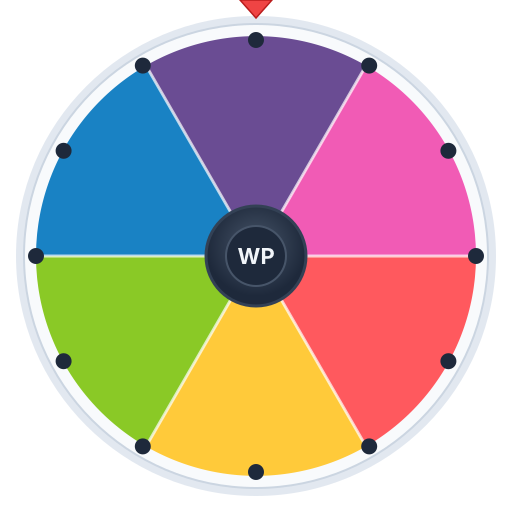
Let the wheel pick your next color. Eight bold colors are preloaded and every slice is editable, so it works as an art prompt, a tiebreaker for design choices, or a colour-game spinner for kids.
Paste your list below, one item per line
Add your options, spin, and share the winner in seconds.
Designers and artists reach for random colours more often than you would think. Sometimes you are seeding a prototype with placeholder swatches, sometimes you have three good options and genuinely cannot separate them, and sometimes every project has started looking like the same five defaults. A random pick breaks the habit by handing you a colour you would not have chosen yourself.
The other use is creative friction. Constraint-driven work is famously productive, and a randomly assigned colour is a clean constraint: you cannot argue with the wheel, so you have to make the colour work. Illustrators use it the way writers use prompt generators — as a way to start before second-guessing sets in.
Spin once for a dominant colour and once for an accent, then draw something using only those two. Spin three times for a limited palette and paint a landscape with it. Combine with the what to draw wheel for a subject and you have a complete daily sketch prompt. Art teachers project the wheel and have the whole class work in the chosen colour for the lesson; the shared constraint makes the results interesting to compare on the wall afterwards.
For a monthly challenge, load thirty colours, turn on Eliminate, and spin once a day so the sequence never repeats.
The default eight colours are chosen for toddlers and early years. Spin and have the child find something in the room of that colour, or say the colour’s name in a second language. Load the wheel with clothes colours for a “what am I wearing tomorrow” game, or with crayon names for a colouring session. Because the slices show the actual colour, pre-readers can play along without reading the label.
Paint samples on the wall for three weeks and still can’t choose? Load the finalists, spin, and notice your gut reaction to the result. If it lands on the sage green and you feel a pang of “oh, but the blue”, you just found your answer — and it wasn’t the wheel’s pick. That reaction test works for nail polish, team kit colours, wedding colours, a new car, or the accent colour on a website. The wheel is not choosing for you; it is running a three-second experiment that reveals what you already preferred.
Do not load colours you would be unhappy with; the wheel can only pick from what you give it, so the list should be all finalists. Do not use it to pick text or background colours for a real interface without checking contrast — a random pick has no idea what WCAG is. And if you need themed suggestions rather than a choice between your own options, the paint color picker, pastel picker, nail color picker and outfit color picker come preloaded for those jobs.