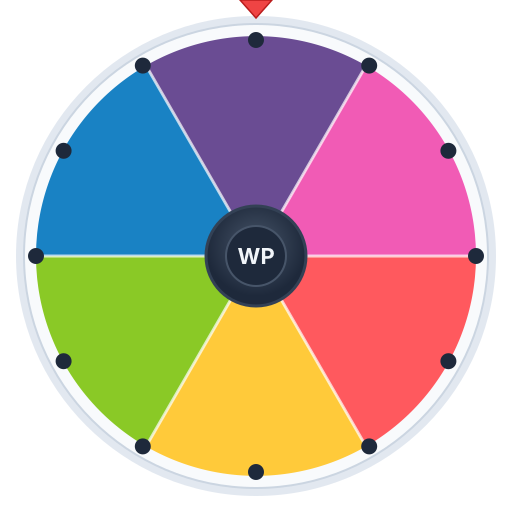
Recording...
Spin Results
Load a challenge list, press Record & Spin, and download a portrait video of the wheel deciding your fate. No app, no watermark, ready for TikTok, Reels and Shorts.
Paste your list below, one item per line
Add your options, spin, and share the winner in seconds.
Most spin wheel videos on TikTok are made the hard way: a creator screen-records another site, crops out the browser chrome, trims the dead air, and hopes the result is not blurry. This page skips all of that. Record & Spin renders the wheel to a clean video canvas at the moment you press it, spins, captures the reveal, and hands you a file. Choose Portrait and the frame is tall, with the wheel centred and the winning entry displayed large, so it reads on a phone without any cropping. The clip is yours the instant it finishes; nothing is uploaded and there is no watermark to pay to remove.
The list itself is fully yours too. The fifteen preloaded challenges are the ones that keep showing up in the "spin the wheel decides" format, from eating whatever the wheel says to texting a random contact, but the wheel does not care what you type. Outfit ideas, prank targets, workout forfeits, restaurant picks, fan-requested dares: paste them in one per line and the slices redraw. Add the same entry twice if you want it to hit more often, and the Percentages toggle shows viewers the odds on screen, which is itself a good hook.
The format survives because it produces a natural beginning, middle and end in under thirty seconds. Here are the ideas loaded on the wheel and why each one works. Eat Whatever the Wheel Says and Cook the Dish the Wheel Picks give you a follow-up video for free. Text a Random Contact and Call the Fifth Person in Your Recents produce a real reaction you cannot script. Wear the Outfit for 24 Hours and Let the Wheel Pick My Hair Colour commit you to something visible, so the comments demand an update. Say Yes to Everything for an Hour and Do the Next Trend That Appears reward creators who are quick on their feet. Buy the Mystery Item Under Ten Dollars and Order the Menu Item the Wheel Chooses are cheap, low-risk and endlessly repeatable. Do 50 Burpees on Camera and Ice Water Challenge are forfeits, which viewers love precisely because they are watching someone else suffer. Learn the Dance in Ten Minutes, Post the Last Photo in My Camera Roll and Sing the Song the Wheel Picks close the list.
The trick with all of them is that the wheel is the antagonist. You are not choosing to eat pickles with ice cream; the wheel chose, and you are honouring it. That framing lets you do things on camera that would look attention-seeking if you simply decided to do them.
A spin video has three beats, and the algorithm rewards you for making each one land. The hook is the list: show the slices on screen for the first second or two, ideally with a caption that says what the stakes are ("whatever it lands on, I have to do today"). The tension is the spin, which is why the recording captures the whole animation rather than jumping to the result; the slow-down at the end is where viewers stop scrolling. The payoff is your reaction, filmed separately with your phone and cut in after the reveal. Most creators keep the wheel clip to six or eight seconds and let the reaction and the challenge itself fill the rest.
Two editing habits help. Trim the front of the wheel clip so the spin starts by the second second; nobody waits for a static wheel. And put a text overlay naming the result on the freeze frame after the pointer stops, because a lot of viewers watch muted and the overlay makes sure the outcome is unmissable. If you use CapCut, drop the exported clip on the timeline, set the project to 9:16 and it fills the frame with a small crop on the top and bottom.
Spin wheel content performs best as a series, because the format is the same every time and viewers come back to see what the wheel does to you next. Number the videos ("Wheel Decides Ep. 12"), pin the first one to your profile, and put the running rule in every caption. Ask the comments to add entries for the next wheel; then actually use them, with the commenter's name on the slice, and you have converted viewers into co-authors. Using the share link, you can also post the exact wheel in your bio so followers can spin it themselves, which turns a video into a small interactive thing.
Captions that name the stakes outperform captions that name the tool. "I let a wheel choose my dinner for a week" gets clicks; "spin wheel app" does not. Hashtags should be about the challenge and the niche, not about wheels: the wheel is a device, the food or the fitness or the fashion is the audience. Post when your analytics say your followers are online, reply to the first twenty comments quickly, and if a spin video takes off, film the next one the same day while the format is being pushed.
Every spin wheel creator eventually gets the comment: "it's rigged." The honest answer is that this one is not. The landing slice is chosen by the browser's cryptographically secure random number generator before the animation runs, every slice has equal odds, and the spin is just a visualisation of a result that was already decided. There is no server, so there is no dashboard where anyone can pick the result, and the page does not remember previous spins, so a "hot" slice cannot exist. If you want to prove it, spin a two-entry wheel forty times on camera and count; it will sit close to twenty and twenty. The full explanation lives on our randomness page if you want to link it in a reply.
If you do want a specific outcome for a scripted bit, the honest way is to say so or to load the wheel with only that outcome. What you should not do is trim a clip to hide a re-spin; audiences are good at spotting the cut, and a rigging accusation that sticks costs more than one dud spin. For challenges that involve other people, such as texting a contact or calling a friend, get their okay before posting the reaction. And keep the forfeits within what you would do anyway: the wheel is a game, not a licence.